Cloudflare
| Company | Estimated Time | Vendor Docs | Open Source |
|---|---|---|---|
| Cloudflare, Inc. | 2 minutes | view | v3.rb |
What is Cloudflare?
Cloudflare provides content delivery network (CDN) services, cloud cybersecurity, DDoS mitigation, and domain registration services.
How It Works
Cloudflare triggers notifications when account conditions are met.
- When a notification is sent by Cloudflare, an alert is created in PagerTree automatically.
Integration Walkthrough
In this integration tutorial we will show you how to send notifications from Cloudflare into PagerTree. The estimated time for this integration is 2 minutes. We assume that you already have a PagerTree and Cloudflare account set up.
In PagerTree
- Create the integration by clicking the Cloudflare logo.
- Copy the Endpoint URL.
In Cloudflare
Create the Webhook Destination
-
Navigate to Cloudflare dashboard -> Notifications.
-
Under Destinations, click Create.
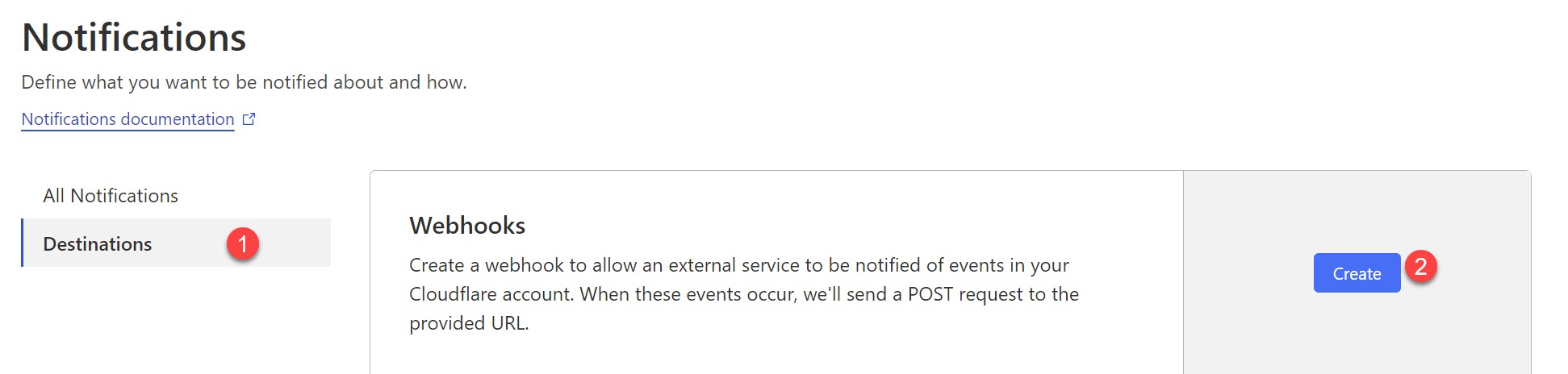
Click create webhook destination button.
-
Paste the PagerTree Endpoint URL you copied into the URL field.
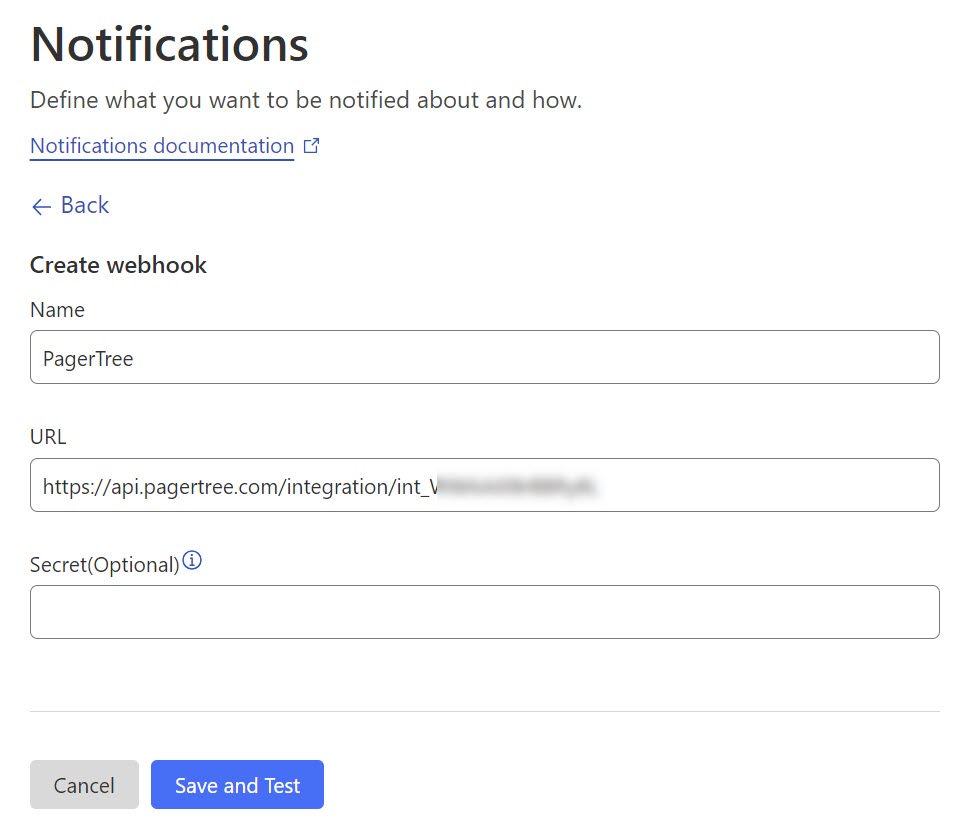
Create Webhook Destination in Cloudflare
-
Click Save and Test.
Connect Notification to Webhook
-
Under Notifications, add or edit an existing notification.
-
Click Save.
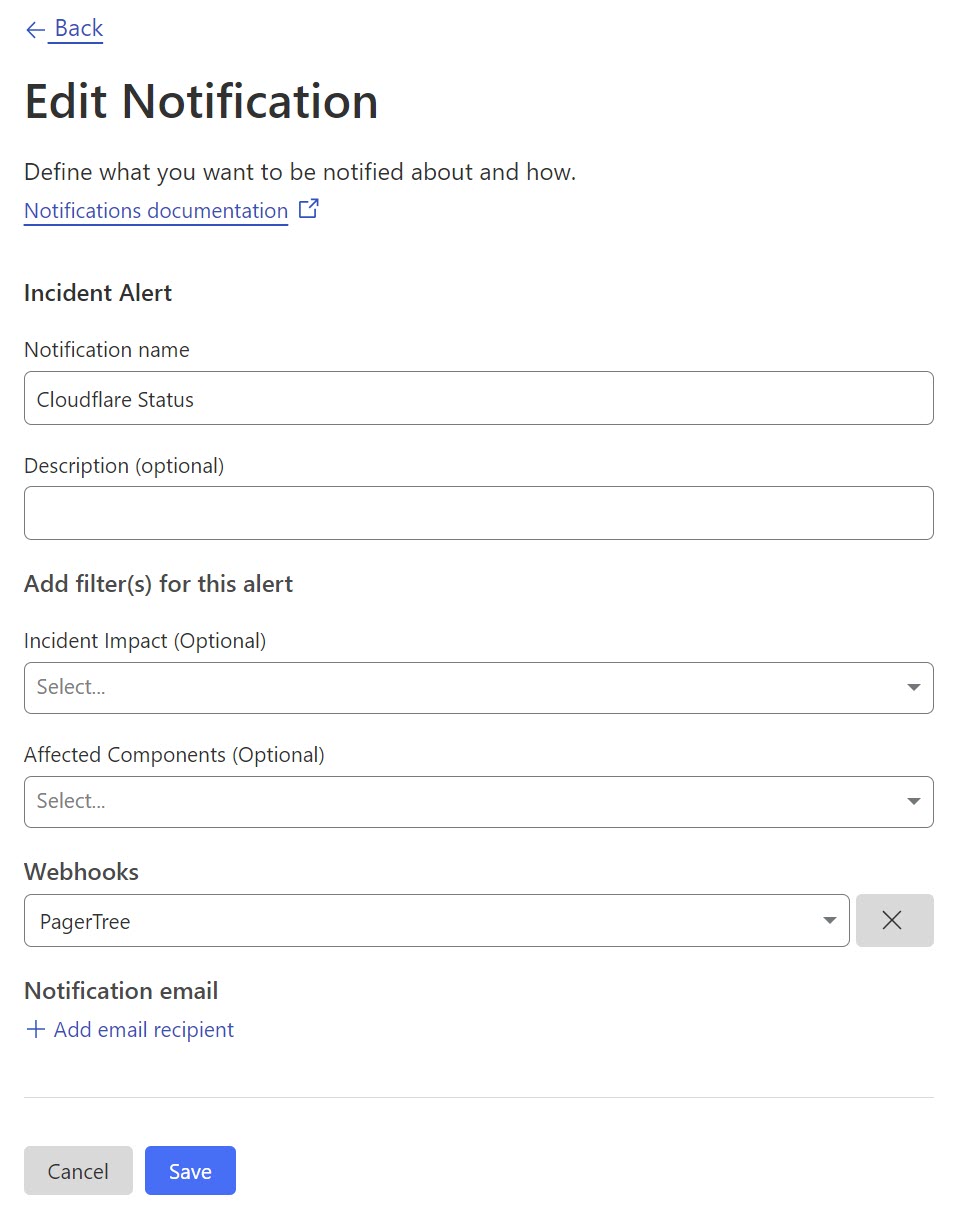
Connect Cloudflare Notification to PagerTree Webhook
You have successfully completed the Cloudflare Integration.